
Skin Changer
Weapon skins and clothing, drawn on this PC, without a Steam market purchase for each cosmetic.
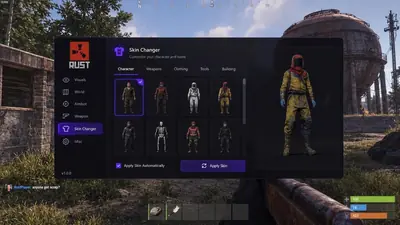
Library
The finish library on this PC
Premium weapon skins are in the library. So are outfits and knife styles, inside supported games. Each item is not its own purchase.
4 cosmetic rows continue lower on this page.
Overview
Finishes drawn here, not bought one by one
Where the finish is drawn, what stays out of your inventory, and how to check a title before checkout.
Skin Changer draws weapon skins and clothing onto your Rust client. You do not buy each cosmetic on the Steam market.
The picture stays on your machine. It is not written to the Steam inventory. Other players keep seeing the default item. Before you purchase, ask support to confirm the title is still listed.
What the client draws
This lightweight client draws weapon skins and clothing on your Rust client. Those cosmetics do not each need a separate Steam purchase. A finish is not a real inventory item.
Seen on your display alone
The look stays on your display. Inventories do not gain items. Trading stays impossible. Closing the client removes the visuals. Other players are not expected to see the finish.
The supported list can move
Major games are listed today. A patch can take an entry off that list. A Windows update can change that list too. Before a purchase, ask support whether your title is still on that list. A cosmetic client can still conflict with game terms. It can lead to account action.
PC setup for the cosmetic client
Windows 10 or 11 is required, with HVCI and Core Isolation on, and with TPM and Secure Boot on. After purchase you also need loader access.
Groups
Cosmetic groups
These finish types are available once the cosmetic license is active.
- Presets for weapon skins
- Presets for clothing and hazmats
- Client-side apply and reset
- Rust coverage on supported builds
- A lightweight client on this PC
- Cosmetic drawing on this screen only
- Monthly and lifetime cosmetic licenses
- Windows 10 and Windows 11 support
When access arrives
Shots, then portal access
Shot notes stay on the left side. The right side covers portal access, then how the menu is set up.
Shots
- Layer A
Skin changer
Character presets and an apply control on the client-side skin changer.
More products
Pairs well with
The catalog beside this cosmetic client, with a separate page for each license.
- Rust Cheats Aimbot, silent aim, player ESP, loot ESP, stash ESP, wallhack, no recoil, and an FOV changer. View details: Rust Cheats
- HWID Spoofer After a hardware flag, this license rewrites disk serials. It also rewrites MAC addresses, GPU IDs, and related fingerprints. Trace cleanup is in the same license. View details: HWID Spoofer
- Cloud DMA Cloud DMA may require GREENWARD, Static Server and AWS as separate purchases. Check the full requirements and current price at checkout. View details: Cloud DMA
FAQ
Questions about this page
Answers for this page. The FAQ page holds the rest.
Blog
Related articles
Filter by topic to find setup notes, feature deep-dives, and wipe-day checks.
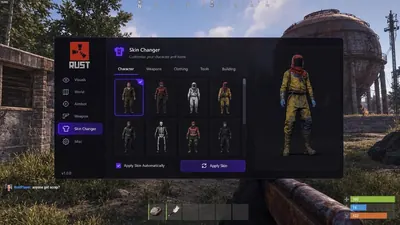
You can hold an Alien Red AK without owning it, and nobody else will know. What client side means, what swaps, and what it cannot do.

Rust punishes you for walking into the wrong square. Here is what the build shows before you get there, and what it does when you are already in the fight.
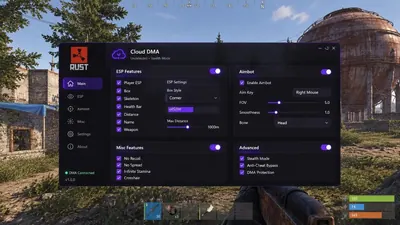
Every failed install is a firmware or Windows setting, not the cheat. Do the checks in order, then follow the launch sequence exactly.
Rust community forums
Read discussion
Forum: Archived, read-only threads on loader setup, ESP configs, patch status, and HWID bans. Replies are closed.
- Buying and Delivery monthly vs lifetime, honest answers only The subscription argument with a Rust twist. People talk about skipping wipes, burnout and the fact that lifetime means nothing if you quit the game entirely.
- Buying and Delivery paid, receipt email, no download link in it Post purchase confusion. The loader lives in the account area and the email is only a receipt, which the OP discovers after twenty minutes of inbox refreshing.