
Cloud DMA
A Hyper-V environment for one Windows PC with guided installation and encrypted activation.
In short
A Hyper-V environment on one PC
The guided installer sets up the virtual environment and activates the service over an encrypted connection.
Overview
Cloud DMA on one Windows PC
Check Windows, Hyper-V and the separate purchases before ordering.
Cloud DMA runs its virtual environment on your gaming PC. The installer sets up Hyper-V and activates the service over an encrypted connection.
Cloud DMA may require GREENWARD, Static Server and AWS as separate purchases. Check the full requirements and current price at checkout.
Hyper-V setup on one PC
The installer provisions a virtual environment on your gaming PC. Activation uses an encrypted service connection.
What you need before checkout
Cloud DMA is the infrastructure layer. GREENWARD, Static Server and AWS are three separate required purchases.
Included
Cloud DMA features
The lifetime license covers the Cloud DMA infrastructure layer.
- Single-PC setup
- Guided Hyper-V installation
- Encrypted activation
- Lifetime access
Setup
From purchase to activation
Follow the Windows and Hyper-V checks before you run the installer.
Setup
- Layer A
Cloud DMA
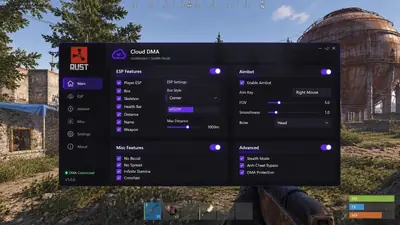
ESP, aimbot, and misc toggles on the Cloud DMA main panel.
More products
Pairs well with
Explore the other three products and their setup requirements.
- Rust Cheats Aimbot, silent aim, player ESP, loot ESP, stash ESP, wallhack, no recoil, and an FOV changer. View details: Rust Cheats
- HWID Spoofer After a hardware flag, this license rewrites disk serials. It also rewrites MAC addresses, GPU IDs, and related fingerprints. Trace cleanup is in the same license. View details: HWID Spoofer
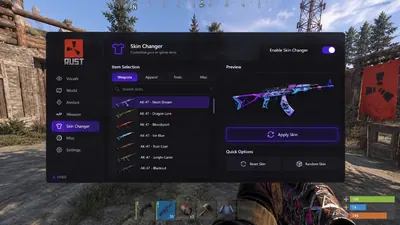
- Skin Changer A small client paints weapon skins and clothing on your screen. Other players still see the default item. View details: Skin Changer
FAQ
Questions about this page
Answers for this page. The FAQ page holds the rest.
Blog
Related articles
Filter by topic to find setup notes, feature deep-dives, and wipe-day checks.
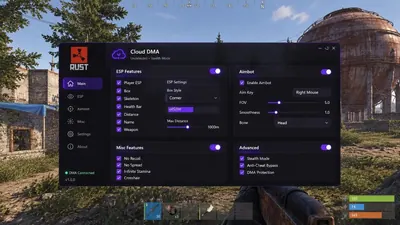
Every failed install is a firmware or Windows setting, not the cheat. Do the checks in order, then follow the launch sequence exactly.
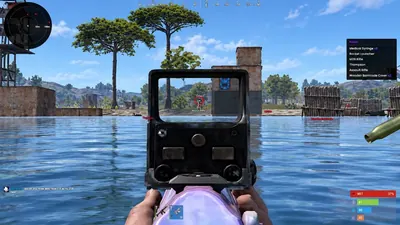
Rust punishes you for walking into the wrong square. Here is what the build shows before you get there, and what it does when you are already in the fight.
Force wipe breaks the loader every month, on schedule. Here is the order that separates a patch problem from a machine problem.
Rust community forums
Read discussion
Forum: Archived, read-only threads on loader setup, ESP configs, patch status, and HWID bans. Replies are closed.
- Setup and Support what do i need to change in windows before running this Prep thread that becomes a debunk. Folder exclusion and admin rights are the real answers, secure boot gets argued about and core isolation is a frames tweak.
- Setup and Support loader runs, menu never appears in game Inject failure thread. Admin rights, a stale steam client in the tray and borderless mode get worked through, and the tray client turns out to be the cause.