
Rust Cheats
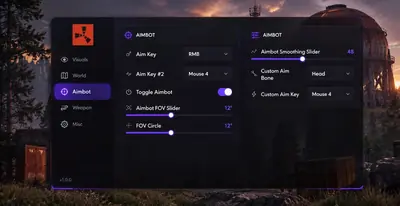
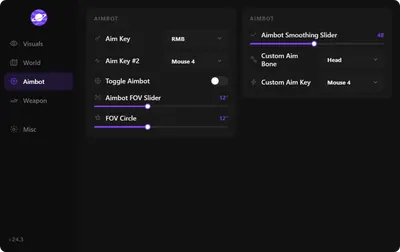
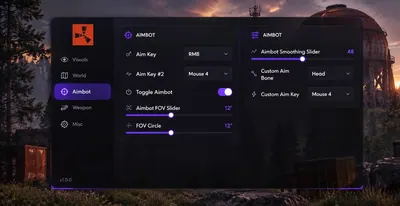
Aimbot controls here are smoothing, bone, FOV, and a visible check. Silent aim sits on the same tab. Confirm the game build on rustcheatforge.com before you launch.
Product Overview
At a glance
Key capabilities
The short list for Rust Cheats, before the full module list.
Another 9 options are in the full list below.
Overview
Rust cheat suite
How the listed modules fit a Rust wipe.
These rust hacks group aimbot with silent aim and triggerbot, then player ESP with loot ESP, stash ESP, and wallhack. No recoil sits with no spread. Movement tools sit beside an FOV changer.
ESP prints players, loot, traps, stashes, nodes, and vehicles at the distances you set. After a force wipe, read the product notes on rustcheatforge.com before you start the game.
Each menu switch covers one option: player ESP, loot ESP, stash ESP, aimbot, silent aim, triggerbot, no recoil, no spread, movement, or FOV.
Configuration and support
The menu turns each option on or off and shows the settings that option has. Setup notes ship in the portal. A force wipe or an Easy Anti-Cheat update can change which settings remain.
Checkout and delivery
The checkout page confirms the available access options. The portal provides delivery instructions after purchase. Recheck the product page before a session, especially on the first Thursday wipe.
Updates and compatibility
Compatibility can shift after a Rust client update or an Easy Anti-Cheat change. Check the game version and the product notes on rustcheatforge.com before you launch.
Modules
What's included
The full option list for Rust Cheats. Each line can be switched in the menu.
- Aimbot
- Silent aim
- Triggerbot
- Aim FOV and FOV circle
- Smoothing and bone priority
- Player ESP
- Loot ESP and crate ESP
- Stash ESP and node ESP
- Turret, Bradley, and helicopter ESP
- Sleeper ESP and vehicle ESP
- Wallhack and chams
- No recoil and no spread
- Recoil script and crosshair overlay
- FOV changer
- Movement tools
Experience
Menu layers · After checkout
The notes below say what each group does, and how the portal opens after checkout.
In-game layers
- Layer A
Aimbot menu
Aim keys, FOV circle, smoothing, and bone choice on the aimbot tab.
More products
Pairs well with
Utilities sold beside the cheat. Each one keeps a separate page.
- HWID Spoofer After a hardware flag, this license rewrites disk serials. It also rewrites MAC addresses, GPU IDs, and related fingerprints. Trace cleanup is in the same license. View details: HWID Spoofer
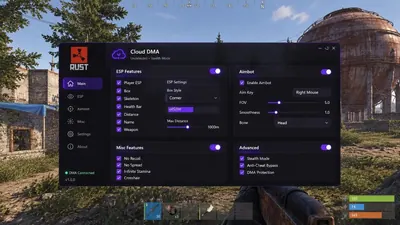
- Cloud DMA Cloud DMA may require GREENWARD, Static Server and AWS as separate purchases. Check the full requirements and current price at checkout. View details: Cloud DMA
- Skin Changer A small client paints weapon skins and clothing on your screen. Other players still see the default item. View details: Skin Changer
FAQ
Questions about this page
Answers for this page. The FAQ page holds the rest.
Blog
Related articles
Filter by topic to find setup notes, feature deep-dives, and wipe-day checks.
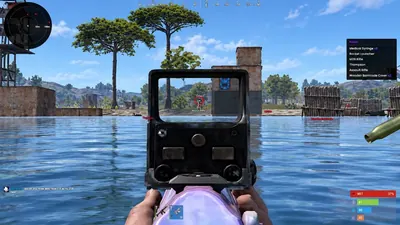
Rust punishes you for walking into the wrong square. Here is what the build shows before you get there, and what it does when you are already in the fight.
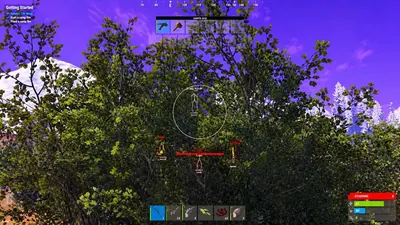
The build has more ESP layers than most games have features. Running all of them at once is how you stop being able to see. Here is what to keep.
Rust recoil is the real skill gap. Recoil control plus a small FOV aimbot beats a strong aimbot with a wild pattern every time.
Movement modules are the most visible thing in the build and the easiest to misuse. What each one does, and the moments they are worth the attention.
Every failed install is a firmware or Windows setting, not the cheat. Do the checks in order, then follow the launch sequence exactly.
Rust community forums
Read discussion
Forum: Archived, read-only threads on loader setup, ESP configs, patch status, and HWID bans. Replies are closed.
- Rust what does rust esp actually show, base esp specifically Someone asks for a plain description of the overlay before buying. The replies cover player boxes, deployables, stashes and why base ESP changes how you scout a raid.
- Buying and Delivery is any of this worth it as a solo on a duo or trio server Solo player thread. The replies say information is exactly what a solo lacks, then argue about whether a solo actually needs the aimbot or just the reads.
- Rust aimbot settings that wont get flagged by the stats layer Config thread with a stats angle. Low FOV and high smoothing get recommended, and one person argues that chest bone is safer than head for the stats layer.
- Rust loot, ore and stash filters so you stop seeing every single thing Filter thread. Rarity and category limits get recommended, sulfur nodes and stashes get singled out as the useful ones, and someone argues loot ESP is only for farmers.