Player ESP
Name, health, distance.
In a Rust fight, player ESP marks enemies with a box, health, held weapon, and a distance value.
- Box and skeleton
- Health and name
- Distance and weapon
- Team colour split
- Separate from aim
Aimbot, player ESP, loot ESP, and wallhack for Rust on PC, plus no recoil and movement tools. Browse the products below for features and setup requirements.

Listed
Silent aim
Monthly
Wipe updates
Split
ESP layers
24/7
Live support
Features
Rust cheats lists player ESP, loot ESP, stash ESP, aimbot, silent aim, triggerbot, wallhack, no recoil, and an FOV changer.
Name, health, distance.
In a Rust fight, player ESP marks enemies with a box, health, held weapon, and a distance value.
See past cover.
Wallhack and chams use the same position, health, and distance readouts when a player is behind a wall or a rock.
Target controls.
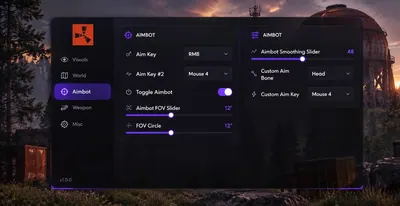
The aimbot tab sets smoothing, which bone to prefer, FOV, and how far a target can be.
Weapon handling.
No recoil and no spread flatten yaw and pitch on Rust guns, separate from the aimbot tab.
Nodes, crates, stashes.
Loot ESP, crate ESP, stash ESP, and node ESP mark sulfur, boxes, and buried stashes so a farm route is a choice, not a guess.
View option.
An FOV changer and a crosshair overlay sit apart from aim FOV. Use them to read terrain while you move.
Transit option.
Flyhack, climb assist, and no fall damage change how you cross a grid. Switch them off in open field if you do not want the attention.
Aim option.
Silent aim shares the aimbot tab: smoothing, bone priority, visible check, and a small FOV.
Each option.
Every listed option has its own switch. A Rust wipe update can change which switches still work.
Store
Compare the cheat menu and the utilities on this grid. Open a product page for the feature list and checkout.
Aimbot, silent aim, player ESP, loot ESP, wallhack, and the rest of the listed options.
Aimbot, silent aim, player ESP, loot ESP, stash ESP, wallhack, no recoil, and an FOV changer.
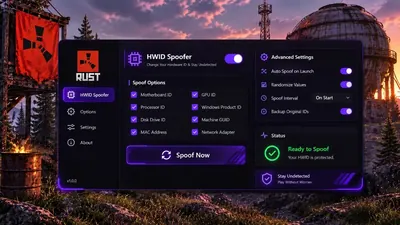
Disk serials, MAC addresses, and GPU IDs get a new pass. The cleaner in the license runs before the next sign-in.
After a hardware flag, this license rewrites disk serials. It also rewrites MAC addresses, GPU IDs, and related fingerprints. Trace cleanup is in the same license.
A Hyper-V environment for one Windows PC with guided installation and encrypted activation.
Cloud DMA may require GREENWARD, Static Server and AWS as separate purchases. Check the full requirements and current price at checkout.
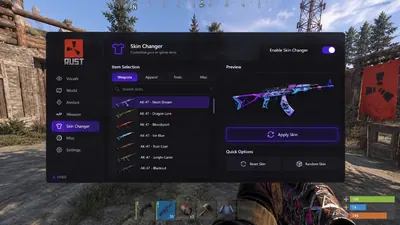
Weapon skins and clothing, drawn on this PC, without a Steam market purchase for each cosmetic.
A small client paints weapon skins and clothing on your screen. Other players still see the default item.
Why us
rustcheatforge.com ships loader builds on patch day. ESP shows position, health, and distance. Operators work a 24/7 shift.
Patch-day loader updates
A loader build goes out within hours of a Rust update. Wait for that build before you queue.
Aim settings
Smoothness, bone priority, and maximum distance are on the aimbot tab. ESP shows position, health, and distance.
Live operators
Engineers handle loader setup, ESP configs, and HWID resets across a 24/7 shift.
Menu options
Flip each listed option on or off. After a patch, open the menu and see which switches remain.
Compatibility
Match the current Rust build before you launch. An anti-cheat update can change what still runs.
HWID reset & license moves
Support handles HWID clears and a move to another PC. Other shops often lock one machine or bill every swap.
<24h
Patch turnaround
How long a loader build takes after a major Rust or anti-cheat change.
24/7
Operator support
People on shift for loader setup, menu configs, and account questions.
300+
Active operators
Windows players on rustcheatforge.com using the cheat menu and the utilities.
Setup guide
The loader arrives in the operator portal. Download it, set the menu, then launch Rust.
Open the portal and download the loader
Launch & configure modules
Launch Rust
How it works
Three steps from choosing a product to a portal profile you can load next time.
3 easy steps
Choose your product
Pick the cheat suite, or a utility when the issue is this PC or an account limit.
Launch & configure
Download the loader from the portal, turn modules on, and set ESP and aim before a live match.
Save your profile
Save the menu profile in the portal so the next session starts from those settings.
Blog
ESP and aimbot setup, raid scouting, and wipe-day checks for Rust.
A banned account is cheap. A banned machine is not. How to tell which one you have and the sequence that clears a flagged PC.
Force wipe breaks the loader every month, on schedule. Here is the order that separates a patch problem from a machine problem.
Movement modules are the most visible thing in the build and the easiest to misuse. What each one does, and the moments they are worth the attention.
FAQ
Answers for this page. The FAQ page holds the rest.